

How to Convert PNG to Text
Images are everywhere in our digital lives screenshots, scanned documents whiteboard photos old book pages and social media graphics. But what happens when you need the actual words trapped inside that image? That is where the ability to convert PNG to text becomes incredibly useful. Whether you are a student digitizing lecture notes a business professional archiving old contracts or simply someone who wants to copy a quote from a screenshot knowing how to pull readable words out of a picture can save you hours of manual retyping.
In this article we will explore everything you need to know about this process from what it actually means to the best tools and methods available, to practical tips that will help you get the cleanest results possible.
What Does It Mean to Convert PNG to Text?
A PNG (Portable Network Graphics) file is a raster image format that stores pixel data. Unlike a Word document or a plain text file a PNG has no concept of “letters” or “words” it is simply a grid of colored dots. So when we talk about turning an image into readable characters, we are really talking about a process called Optical Character Recognition, or OCR.
OCR technology analyzes the shapes and patterns within an image, identifies characters that resemble letters and numbers and then reconstructs them into an editable, searchable text format. This is the core technology behind every tool that lets you convert PNG to text, whether it is a free online converter or a sophisticated enterprise grade software suite. You want to try it Now? Then Click below button.
Why Would You Need to Convert PNG to Text?
There are countless everyday situations where the ability to pull text out of an image becomes essential:
Digitizing old documents: Scanned contracts, receipts, or handwritten notes saved as PNG images can be transformed into editable text for easier storage and searching.
Extracting content from screenshots: If you have ever taken a screenshot of an article, a chat conversation or a piece of code you know how frustrating it is to retype everything manually. The right OCR tool solves this instantly.
Accessibility purposes: Text extracted from images can be read aloud by screen readers making content accessible to visually impaired users.
Language translation: Once the words are out of the image, you can easily paste the content into a translation tool.
Data entry and archiving: Businesses that deal with large volumes of scanned forms often need this kind of extraction so the data can be entered into spreadsheets or databases.
Academic research: Students and researchers often screenshot pages from PDFs or books, then extract the text to quote or cite the material properly.
Popular Methods to Convert PNG to Text
There is not just one way to get this done. Depending on your needs, budget, and technical comfort level, you can choose from several different approaches.
Online OCR Tools
A free online OCR software is the quickest and easiest way to convert PNG to text. There are websites such as Google Lens, Adobe Acrobat is online converter I Love PDF and OnlineOCR.net that allow users to upload a PNG file and get the extracted text within seconds. They are great tools for quick use as they are not installed anywhere and can be used directly in your browser.
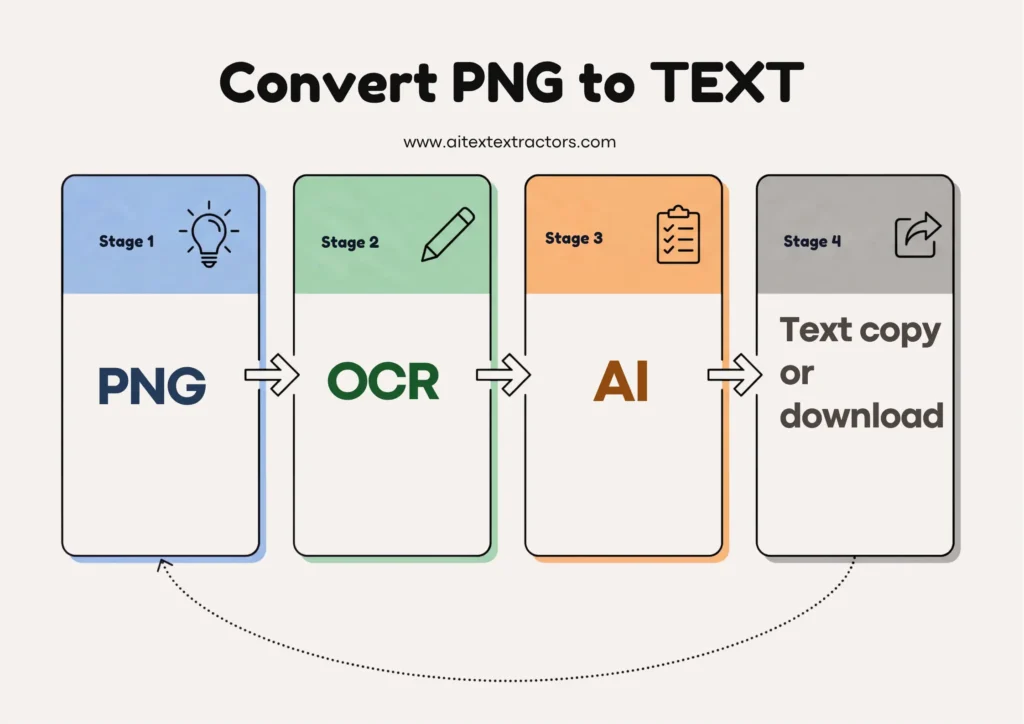
The overall process is as follows:
- Go to an online OCR site.
- Upload png Image.
- Click on extract text
- copy text or download file.
- use this text where you want to use.
Most of these platforms have a free basic plan, but some may limit their file size or daily file conversion until you buy a premium subscription. But AI text Extractor tool is Free, no hidden payment or any subscriptions
The built-in operating system features.
In Windows OS: These days there are some tools available in-built into Windows and mac OS operating systems, which enables you to convert a PNG to Text without installing any third party software.
Text Extractor: With the Snipping Tool and Power Toys Text Extractor, you will be able to select a region of an image and then copy the recognized text into your clipboard instantly.
Mac OS: In Apple’s Preview and Photos apps, the Live Text functionality allows you to highlight and copy text from an image, even PNG files.
These built-in options are ideal for quick and casual usage as they do not require you to use an external PNG to text conversion site.
Mobile Apps
If you are on the move a lot, you will find that mobile apps to convert PNG to text are very convenient to use, as all you need is your smartphone’s camera or even photo gallery. Some apps such as Google Keep, Microsoft Lens or Adobe Scan integrate the scanning and OCR power into a single application, where you can take a photo of an item and have the text of the image displayed and available to edit.
Dedicated OCR Tool
If you are a business or professional user, and you require bulk conversion from PNG to text, then you can use dedicated OCR software such as AI Text Extractor from image PDF to text or Readiris which has more advanced features like batch processing, layout preservation, multi-language support, etc. These tools are particularly beneficial in scenarios where precision and formatting are critical, such as in legal settings or technical manuals.
Programming Libraries
People who want to convert a PNG to text programmatically usually choose to use software like Tesseract OCR, which is an open source (and Google-supported) software package. To automate a quick PNG-to-text job for hundreds of files, for example, a developer could use Python to create a script that utilizes the Pillow and pytesse ract libraries.
python
import PIL. Image
import pytesseract
image = Image open(“sample.png”)
text = pytesseract. image to string(image)
print(text)
For businesses that rely on a data pipeline where PNG to text is a crucial step this type of automation is a lifesaver.
Tips to help you get the best results
Not all OCR results are created equal. There are several reasons why text might not be as accurate when you convert PNG to text:
HQ Image Resolution: The higher the resolution of the image the more accurate the text extraction. The PNG images with no clarity or resolution are prone to errors.
Contrast and lighting: Light and contrast to facilitate recognition. Dark letters on light background is best.
The style of the font: Standard fonts are easier to be identified than decorative or handwritten fonts.
Straight alignment: When converting PNG to text, the image needs to be aligned along the horizontal axis and not skewed or rotated.
Language Settings: always choose the right language to be OC Red, particularly if using accents or other non-English scripts.
A quick few seconds in making sure it is done right can go a long way towards being able to accurately convert PNG to text.
Common issues that can arise during conversion of PNG to Text
Although OCR technology has progressed a long way, it is not infallible. Some typical problems are:
Handwriting recognition: Most OCR engines are still unable to read correctly most cursive or messy handwriting.
Complex layouts: When the software attempts to convert PNG to text, it may go wrong in multi-table, multi-column or documents with overlapping graphics.
Poor scans: If the image contains faded ink, shadows or noise then this will have a significant impact on the accuracy.
Special characters and symbols: Mathematical symbols, money symbols, etc. may not be accurately represented in all cases.
It is important to understand these restrictions when converting PNG to text so that you can have realistic expectations of what you can do with it, and so you can proofread the results afterward.
Free Tools vs. paid Tools – What to Use?
If you are a casual user, you don’t need to use any paid tools to convert PNG to text simple use AI text Extractor Image PDF to Text. Simple and clear images are well suited, also built-in features of the OS and regular online conversions. For those who have a lot of documents to process, or who must ensure the privacy of the data they are scanning, or who are scanning the data for professional purposes and need it to be accurate, though, a paid OCR solution may be worthwhile.
There are paid tools that can offer:
- Batch processing capabilities
- The complex layout is handled better.
- Higher accuracy rates
- Formatting retention (so that the document you converted retains the original formatting)
but it is important to Increased security of sensitive files.
Regardless, the main objective is to convert PNG to text efficiently and accurately.
The Future of PNG to Text conversion is uncertain.
With the continuous development of artificial intelligence, the technologies that convert PNG to text are becoming more intelligent and efficient. As OCR engines get better, they are now starting to incorporate deep learning models that can identify the context, fix spelling mistakes and even distinguish the layout of complex documents, such as forms or invoices. So this should only make the conversion from PNG to text even smoother in the next few years, with less dependability on manual cleanup, and even more accurate when it comes to difficult images.
In Short Learning how to convert PNG to text is a valuable skill in today is digital-first world. Whether you are extracting a quote from a screenshot, digitizing an old document, or automating data entry for a business, there are plenty of tools available to suit your needs from simple browser based converters to powerful OCR software and programming libraries. By choosing the right method and following a few best practices, you can consistently get accurate results with speed and ease, saving yourself countless hours of manual work.
No matter which tool you choose, the ability to convert PNG to text puts the power of information right at your fingertips turning static images into dynamic, usable content.
Frequently Asked Questions
Is it free to convert PNG to text?
Yes, in most cases. Many online platforms and built-in operating system tools let you do this at no cost, though they may limit the number of files you can process per day or cap the maximum file size. If you need this done on a larger scale, a paid subscription usually removes these restrictions.
Do I need an internet connection to convert PNG to text?
Not always. While online converters require a connection, offline OCR software and built in features like mac OS Live Text or Windows Power Toys let you extract text without ever going online, which is useful for sensitive documents.
Can I convert PNG to text on my phone?
Absolutely. Mobile apps such as Microsoft Lens, Adobe Scan, and Google Keep make it simple to pull editable text directly from your camera roll or by taking a new photo on the spot.
How accurate is OCR when you convert PNG to text?
Accuracy depends heavily on image quality. Clear, high-resolution PNGs with standard fonts can achieve accuracy rates above 95 percent, while blurry or handwritten images may require manual correction afterward.
Can I convert PNG to text in languages other than English?
Yes, most modern OCR tools support dozens of languages. Just make sure to select the correct language setting beforehand, since choosing the wrong one can lead to garbled or nonsensical output.
By understanding these common questions, you will be better equipped to choose the right approach the next time you need to pull text from an image whether for a single quick screenshot or a large batch of scanned files.