
Online Signature Extractor: The Easiest Way to Digitize Your Signature
In today’s digital first world, paperwork has moved almost entirely online. Contracts, invoices, forms, and official letters are signed electronically more often than they are printed and signed by hand. This shift has made tools like an online signature extractor incredibly valuable for professionals, students, freelancers, and business owners alike. Instead of scanning a signed paper and manually cropping it in an image editor, people now rely on a dedicated online signature extractor to pull a clean, transparent-background signature directly from a photo or scanned document within seconds.
This article explores what an online signature extractor is, how it works, why it has become essential for modern workflows, and how to choose the right one for your needs.
Online Signature Extractor is a Tool that extracts signatures from digital images.
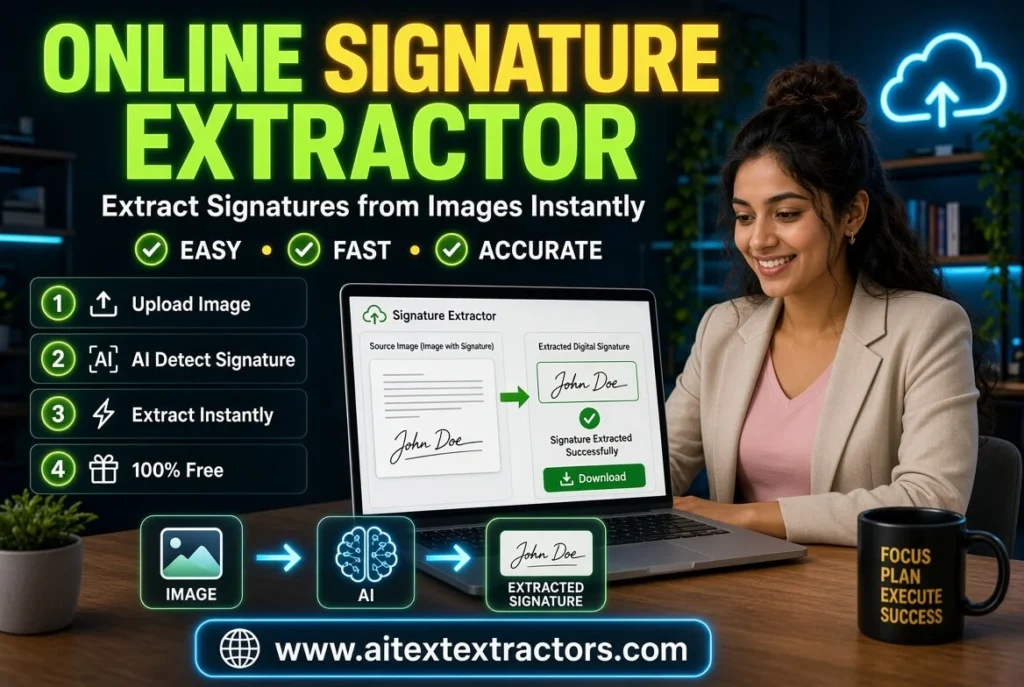
An signature extractor is a web based tool that automatically identifies a handwritten signature from an image or scanned page and extracts it from the page. The outcome is typically a signature with a transparent background for easy inclusion in digital documents, emails, or PDFs. An online signature extractor eliminates the need for Photoshop skills or complicated editing software, making it easy to perform in just a few clicks.
The majority of this type of tool employs image processing algorithms that identify the ink strokes used to create a signature, distinct from paper background, and then output the signature as a PNG image with transparency. This is to say that the signature can be used on any document or letterhead, or on a digital form, without a white box around it. Try it Now:
Where is the Best use of Signature Extractor?
The need for Free signature extractor has exploded in recent years and there are a number of obvious explanations for this.
Speed and Convenience
It will take a few minutes to manually cut out a signature with a traditional editing program, particularly if you do not have experience working with layers, masks or back-removal tools. An online signature extractor will remove this hassle. All users have to do is take a photo of their signed paper and the tool recognizes and extracts the signature in seconds.
No need to have technical skills
Some people are not familiar with complex design software. The online signature extractor is designed for regular users that require a digital signature, but not a new skill set to obtain it. These kinds of people consist of students, small business owners, HR professionals and freelancers. It’s an easy process that is accessible to just about anyone, thanks to the drag-and-drop uploading feature.
Professional-Looking Results
An illegible handwritten signature can appear messy, have shadows, smudges or paper background visible. A good online signature extractor can clean up the image, eliminate background noise and generate a clean and crisp looking signature that will look professional on official documents.
Works Across Devices
The majority of the tools available provide this feature and function just as well on a laptop, tablet or on a mobile phone. This flexibility enables them to access their signature anywhere, without having to install software on multiple devices.
Options that are free and available.
Free Signature extractor is best Tool but there are also number of websites online that offer the signature extractor for free, so anyone can extract their signature without having to pay for any high design software. This ease of use has made these products popular with small business owners and students wishing to give their products a professional look without spending additional money.
How Does an Online Signature Extractor Work?
Most tools work somewhat in the same way, though there may be nuances in specific platforms due to the differences in their underlying technology.
Upload the image or PDF: User uploads a picture or scan of their handwritten signature on white paper.
Automatic Detection or Crop: The tool analyzes the image, and separates the darker ink strokes of the signature from the lighter paper background.
Background Removal: Only the signature remains after removing the background.
The signature is refined for transparency and used with a transparent background to be layered with any document.
Download The final signature file, usually in PNG format, is ready to download and use anywhere.
This automatic workflow is what makes an online signature extractor much quicker than the manual editing. Previously, a few steps in a photo editor were combined into one step, but this time it is reduced to a single step with a guide. Free Signature Extractor is best option for extracting signature from images as well as prom PDF.
Uses of Signature Extractor
Here are some typical applications of an online signature extractor. The following are some of the signature extractor online common uses:
- A person of all walks can use an online signature extractor for a number of useful applications.
- It is used by freelancers and Contractors to sign contracts and invoices digitally without having to print and then rescans them.
- It is also used by Small Business Owners to ensure that their official letters, quotations, and agreements have their personal signature.
- It is used by HR Departments for signed approvals, to be included in offer letters and internal documents.
- It is sometimes used for preparing documents in advance for formal e-signature verification by Legal Professionals.
Tips for extracting Signature
In every of these cases an online extracting signature from image and pdf will save time, and is going to make a more professional and polished appearance than a badly cropped image pasted into a document.
Read on to discover the most critical aspects to consider while choosing a top-notch online signature extractor service.
Not all tools are created equal. Here are some features to look for when selecting an online signature extractor:
Accuracy of Detection
A top notch online signature extractor should identify the outline of the signature without trimming off any of its strokes or background smears.
Transparent Background Support
A signature with a white box around it looks unprofessional. Make sure the tool adds the signature to a document with a clear and transparent background.
Fast Processing Time
The primary attraction of these tools is their convenience, so a quality online signature extractor should not take too long to process images preferably within seconds.
Multiple Format Support
Find a tool that supports common file formats such as JPG or PNG and that can download the extracted signature in a well-supported format like PNG.
Privacy and Security
An online signature extractor should be from a trusted source, and images should not be stored or misused as signatures are private and sensitive.
Mobile Compatibility
A lot of users like to work from their phones, so a phone-friendly and responsive online signature extractor is a true convenience for tasks done on the spur of the moment.
Guide to get the Best Results
Here’s a helpful guide to get the best results from an online signature extractor if you are using one for the first time:
- Write your name legibly in a dark pen on a plain white paper.
- Capture a picture or scan of the signed document with plenty of light – no shadows.
- Go to the free signature extractor of your choice and open it in the web browser.
- Give the tool a chance to analyze and recognize the signature.
By doing so, the signature extractor will yield the purest possible output, as one of the most crucial elements in the process of accurate signature extraction is a clear and high-contrast input image.
Benefits of Using an Online Signature Extractor for Businesses
Businesses that regularly send out signed documents can benefit greatly from adopting a signature extractor as part of their workflow. Instead of relying on ink-and-paper processes, teams can quickly convert a signed authorization into a digital asset that can be reused across multiple documents. This reduces printing costs, speeds up approval cycles, and supports a more environmentally friendly, paperless office culture.
Additionally, having a saved digital signature ready to insert into templates, contracts, and invoices means employees don’t need to sign every single document by hand. This consistency also helps maintain a professional brand image across all official communication.
Is It Safe to Use an Online Signature Extractor?
Free signature Extractor providing 100% safety and privacy because it’s work on your own system or mobile.
Safety and privacy are valid concerns when uploading a personal signature to any online tool. To stay protected, users should choose platforms with clear privacy policies, avoid unfamiliar or suspicious pop-up-heavy websites, and prefer tools that process images without permanently storing user data. Reading reviews and checking whether a website uses secure connections (HTTPS) is also a smart precaution before uploading sensitive files to any online signature extractor.
The rise of digital documentation has made tools like the online signature extractor a practical necessity rather than a luxury. Whether you’re a student signing a form, a freelancer finalizing an invoice, or a business professional preparing official paperwork, this tool offers a fast, simple, and professional solution for digitizing your handwritten signature.
By understanding how signature extractor works, what features to look for, and how to use one correctly, you can save significant time while producing clean, polished results every time. As remote work and digital transactions continue to grow, having quick access to a dependable free signature extractor will remain a valuable part of everyday digital life