
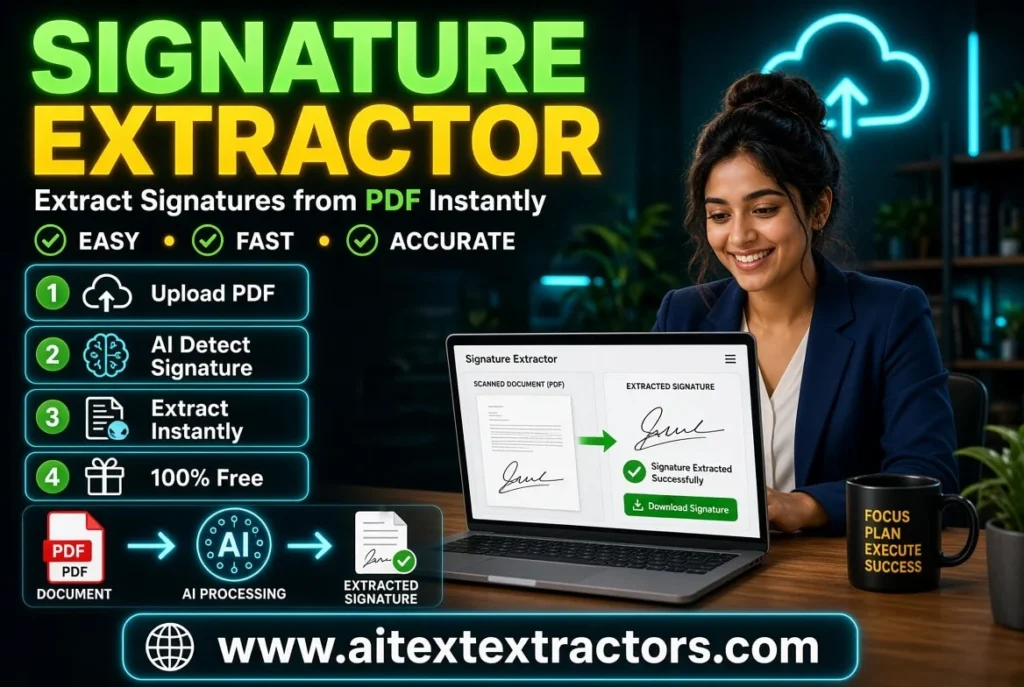
Signature Extractor Can Simplify Your Document Workflow
Yes, you can simplify your work with free signature extractor, Every business, no matter how small or large, eventually runs into the same paperwork problem: signatures. Contracts, invoices, approval letters, HR forms and legal agreements all depend on a signed mark to make them official. But collecting, storing and reusing signatures manually is slow, messy, and often inconsistent. This is exactly the gap that a signature extractor fills. Instead of scanning entire pages or manually cropping images in an editor, this kind of tool pulls just the signature out of a scanned document or photo, cleans it up, and gives you a usable digital asset in seconds.
In this article, we will look at what the tool actually does, why it has become so useful for modern offices, how it works behind the scenes, and what to look for if you are thinking about using a signature extractor for your own documents.
What is a Signature Extractor?
A signature extractor is a program or an online utility generally used to identify a handwritten signature in a document or image and to separate it from the rest of the page. It will not save the entire scanned sheet, which may have text, borders, or stamps on it, but just crop the signature out and put it on a transparent or white background so it can be used again anywhere.
Imagine a cabinet full of old paper files, with each one having a wet ink signature at the bottom. Imagine a cabinet with old paper files and each one has a wet ink signature at the bottom. In order to use the signature only digitally, one would usually have to scan the page and then open an image editor, select the area with the signature, erase the background by hand and save the image as a separate file. An ideal signature extractor will automate this process from starting to finishing. You upload the document and the software recognizes the signature area; you get a clean signature area, cropped from the document and ready for use in seconds instead of minutes.
Please note that these are tools that have evolved considerably in the last few years! The early versions were extremely simple in their cropping and had to be manually drawn by the user around the signature. Modern versions are able to detect the signature location without the need for the page to have any stamps, logos, letterheads or handwritten notes in the vicinity. This is another reason why automated tools are more trusted than manual ones because of their accuracy.
Why people & businesses are choosing this sort of tool
With the advent of digital paperwork, a signature extractor is more relevant than it was 10 years ago. Let look at some of the primary reasons why people use this type of solution today.
- Speed and Convenience
For a person not familiar with layers, masks, or removal of the background, it may take more than a minute of time to manually crop the signature from a photograph. A signature extractor is able to do the same thing in a few seconds. This is time that saves a person who has to work with dozens or even hundreds of documents in a week or more, and which can quickly eat up hours spent on repetitive editing.
- Consistency Across Documents
A properly extracted signature will repeat unchanged in size, clarity, background treatment, etc. on any subsequent document. This uniformity is important for organizations that need a consistent appearance in contracts, certificates or approval letters sent to clients, staff or partners on a regular basis.
- Reducing Paper Dependency
Even when an office is working towards paperless processes, there still needs to be a link between the physical and digital signatures. When the original person that signed a document is not readily available, a signature extractor can be used to extract a signature from an old, signed document and use it again without having to ask the person to sign it again electronically or in person.
- Easier Template Creation
A company may have a template for a document that they repeatedly need to use, such as an offer letter, NDA or authorization form. An extractor for signatures instead of blanking out a space at the end of each document that is sent to a team will allow the team to copy a real signature image into the template once, and then save time for each future copy of that document.
How Signature Extract work
While it looks simple on the user side to use a signature recognizer, there are quite a bit of background image processing going on. Here is a generic overview of most tools’ process.
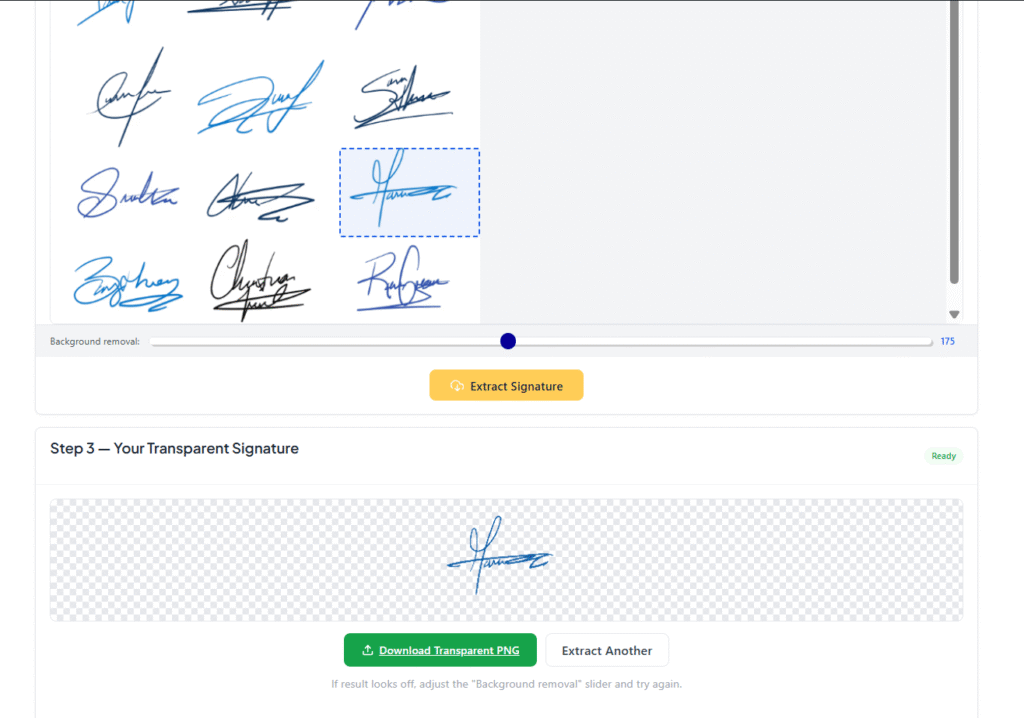
Step 1: Image Upload User uploads scanned page, photo captured with phone camera or PDF file that contains the signature to be isolated.
Step 2: Preprocessing The software will adjust the brightness, contrast and direction to make the signature more prominent than the paper background. This is important because a signature extractor needs to cope with all sorts of paper quality, lighting conditions, and scanning setup, some cleaner than others.
Step 3: Detection: With the help of edge detection and pattern recognition, the tool discovers the area on the page that is most likely to contain a signature, which is different from any printed text, logos or official stamps in the vicinity.
Step 4: Once the signature area is identified, the software crops out the signature area and removes background information, so only the ink strokes are visible. There are also many options that automatically smooth out jagged edges or remove small smudges, before completing the task.
Step 5: Export The cleaned signature is then exported, typically as a PNG with a transparent background, allowing it to be added to other documents without the white box that would form the outline of the signature not showing through.
Common Use of Signature Extractor
This type of tool does not need to be used in a big company, there are lots of scenarios where you need one.
- Representatives of independent agencies and consultants looking to create a signature on their invoices that looks professional without having to print, sign and rescans each time a payment is requested.
- If a manager signature is required for multiple offer letters or documents, HR departments will need to sign them all.
- Pupils and or students who are required to sign a form, particularly whilst working or studying remotely.
- Legal assistants filling out a number of copies of agreements, each with a signature of authorization.
- Small business owners who produce branded materials such as certificates or vouchers that feature an owner or director signature.
In each situation the tool eliminates repetitive manual labor and enables reuse of the same signature in a clean manner with an unlimited number of files.
Things to Consider Before Choosing One
Not all tools are built the same, so it helps to know what separates a strong one from a mediocre one.
Accuracy of Detection A capable signature extractor should detect signatures even on low-quality scans, slightly tilted photos, or documents packed with background text. If a tool struggles with anything other than a perfectly clean scan, it ends up creating more work rather than saving time. some Tools are paid or some are free.
Background Removal Quality One of the most important jobs of this kind of software is producing a clean, transparent background. If the output leaves a faint gray box or uneven edges around the signature, it will look unprofessional once placed onto a new document.
File Format Support. Ideally, the tool should accept multiple input formats JPG, PNG, and PDF and export in a widely usable format like transparent PNG, so results can be dropped into Word documents, PDFs, or design software without extra conversion steps in between.
Privacy and Security Since signatures are sensitive personal or business identifiers, it is worth checking whether a given signature extractor processes files locally, deletes uploaded documents after processing, or maintains clear privacy practices, especially for anyone working with legal or financial paperwork on a regular basis.
Ease of Use The best tools in this category require no special training at all. Upload, extract, download that should be the entire experience for an average user, regardless of technical background. AI Text Extractor tool Signature extractor is Best for use in every case.
A Simple Workflow Example
Imagine a small consulting firm that regularly sends signed proposals to new clients. The owner has one old signed document from years ago and does not want to keep printing and signing new copies every time a proposal goes out to a prospect. By running that old document through a signature extractor, the owner gets a clean, transparent signature file within moments. From then on, that same signature can be inserted directly into every new proposal template no printer, no scanner, no unnecessary delays. This is a small example, but it reflects exactly why so many small teams have added this step into their regular paperwork routine.
Fitting into the Bigger Picture of Digital Documentation
As more processes move online from onboarding new employees to signing rental agreements the demand for tools that bridge physical and digital signing methods keeps growing steadily. A signature extractor sits right at that intersection. It does not replace full e-signature platforms that let people sign directly on a screen, but it serves a different purpose taking existing, real signatures and turning them into reusable digital assets that can travel across many different files.
For people who already have a signed physical document and do not want to set up a formal e-signature process for every single file, this approach is often the faster, simpler choice. It is especially useful for one-person businesses, small teams, and anyone dealing with a backlog of paper documents that need to be converted into something more manageable and shareable.
In the End
This kind of tool might look small and simple at first glance, but it solves a very real and common problem: turning a physical signature into something that can be reused digitally without repeated hassle. Whether you are a freelancer tired of printing and rescanning invoices, an HR manager handling dozens of offer letters, or a small business owner building professional looking documents, this kind of tool can save time, reduce inconsistency, and make your paperwork look noticeably cleaner overall.
As digital documentation continues to replace traditional paper trails, a signature extractor will likely become an even more common part of everyday business operations, quietly turning a few seconds of upload-and-crop work into hours of saved manual effort over time.