
How a Signature Extractor from PDF - Saves Time and Reduces Paperwork Errors
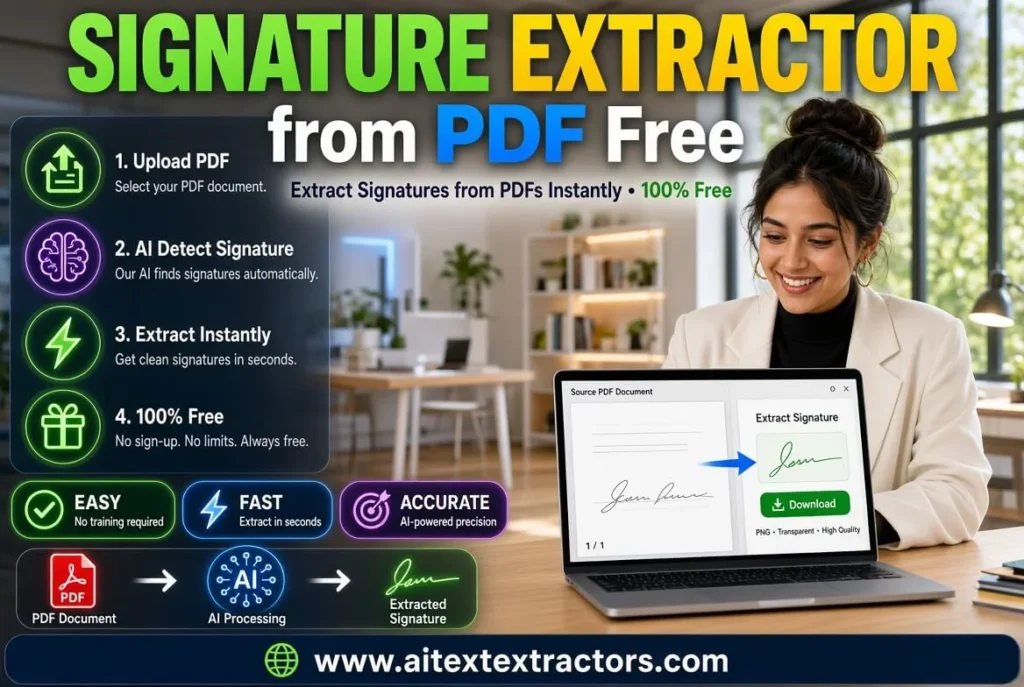
Every organization that deals with contracts, agreements, or official forms eventually runs into the same problem, signatures scattered across hundreds of PDF pages, with no easy way to pull them out for verification, storage, or comparison. This is exactly where a signature extractor from PDF becomes useful. Instead of manually scrolling through documents and cropping images by hand, a signature extractor from PDF automates the entire process, saving hours of tedious work while reducing the chance of human error. You can easily Extract Signature from AI Text Extractor tool kit.
In this article, we will explore what a signature extractor from PDF actually does, why it matters for businesses and individuals alike, how the underlying technology works, and what features you should look for before choosing one. By the end, you will have a clear picture of why this small but powerful tool has become essential in modern document management.
What is Signature Extractor from PDF ?
The basic idea of a PDF signature extractor is to identify, isolate, and retrieve handwritten or digital signatures from PDF documents. The tool scans each page for a pattern similar to a signature, and separates them from the rest of the document, rather than treating the whole document as a block of text and images.
Some tools are only designed to recognize scanned, handwritten signatures, while others are designed to recognize digital signature blocks. PDF signature extractor is a valuable tool that can be used to extract the signatures from PDF documents, which can be particularly useful when you want to share your signature for various purposes with your clients or colleagues. This is important because legal, financial, and administrative documents will contain both formats in the same document. Try it Now for free.
Why required Signature Extractor from PDF?
This tool is a requirement for businesses and people. This tool is necessary for businesses and individuals.
It simple to forget the number of times that signatures are required until you actually begin to count the situations. From signatures on loans to employment contracts, to signing client agreements in the law office, to signing admission forms in the school, there are countless instances where organizations require the ability to extract and verify signatures.
This is a time consuming task to do manually. It will take someone to open each file and zoom into the signature area, take a screen shot, crop it and save it separately. When you multiply that by dozens or hundreds of documents, it becomes a full time job The PDF signature extractor eliminates this hurdle completely as it automatically detects and extracts the signature in seconds instead of minutes per PDF.
There is also consistency, as well as speed. If extracted by hand, the signatures will be extracted differently by different employees some tighter, some looser, some at odd angles. The PDF Signature Extractor will normalize the signature so that it can be compared or verified later on.
What is the working principle of PDF Signature Extractor?
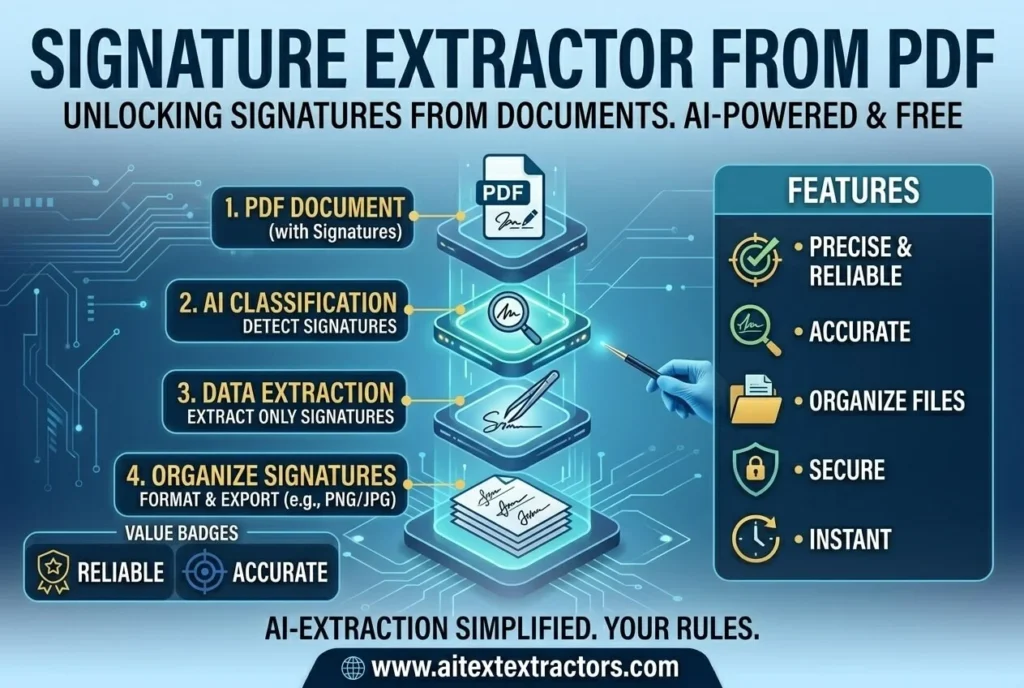
Most of the tools are based on image processing and pattern recognition. Here’s a quick overview of what the common process is:
- Document scanning The tool first converts each page of the PDF into an image or examines the embedded content of the PDF itself.
- Region detection Computer vision methods are used to detect irregular, curvy or handwritten style strokes that deviate from a printed text.
- Signature isolation: The tool extracts a portion of the topographic image, isolating the likely signature area from the surrounding text, or logo.
- Output generation The signature is retrieved and stored as an image file in a transparent background (normally PNG format) for use elsewhere.
More sophisticated and systems rely on machine learning models that have been trained with thousands of signature samples. This makes it possible for a signature extractor from PDF to differentiate between a real signature and other handwritten sections, such as initials or dates, or stray marks. The higher the purity of the training set, the higher the accuracy of the detection, particularly in documents with a small signature or background text, or if the signature is partially covered by other text.
Manual extraction V/S Auto Extraction
The alternatives prior to the introduction of these tools were manual cropping using the basic image editors and PDF viewers. This can work for one or two documents, but isn’t scalable. The manual extraction process is labor intensive, prone to errors, and inconsistencies like cutting off the end of the signature or adding unnecessary text to the background.
Use an automated signature extractor from pdf for all 3 problems. It can scan many pages or a whole batch of files at once, and uses the same standard of detection for all the pages, which helps to reduce the chances of missing a signature on page 47 of a 60-page contract.
If you are working with a lot of documents, this distinction is not only useful, it’s a key determining factor that can mean the difference between a viable workflow at scale and not.
Common Use Cases
Legal matters and contracts. Legalities and contracts.
In a law firm environment, it is common to have to get signatures on signed agreements in order to either back up or reference it with other documents. A PDF signature extractor lets you create a searchable database of signatures without having to deal with each individual PDF contract.
Banking and Finance
Signature matching is used in loan documents, account opening forms and in cheque verification. A signature extractor for PDF is a tool that can be used by financial institutions to identify signatures in PDF documents and easily compare them with the records on file, which helps expedite fraud checks and identity verification.
Human Resources
Employment contracts, NDAs and offer letters are generally multi-signature documents. A signature extractor from PDF can help HR departments maintain a separate record of signed documents, making audits and compliance checks easier.
Education
When handling an admission form, transcript or certificate, it is often necessary for universities and colleges to validate the authenticity. An extractor signature feature on PDF is a tool that enables administrative employees to easily verify if a form has been signed by the applicant or authorized person.
Things to consider when choosing a Signature extractor from PDF Tool.
There are also not all tools that are created equal, and the PDF signature extractor of your choice will rely on your needs. There are some features that you should prioritize:
- Batch processing Can process multiple PDF files at a time instead of processing one at a time.
- High detection accuracy particularly for documents with indistinct or overlapping signatures.
- Flexibility in output Ability to export as PNG or even as vector if needed for further use.
- Sensitive legal or financial documents can be processed locally instead of uploading to external servers, providing an additional layer of security for privacy and local processing.
- Integration options Some businesses are looking for a signature extractor from PDF that can be integrated with their document management system or CRM.
How to use a PDF to signature extractor.
The interface may differ from tool to tool but the process typically goes like this:
- To upload the PDF file or select from your documents.
- Once the pages are scanned, the tool searches them for signature regions.
- Look at the signatures identified and make sure they are correct or alter them as necessary.
- Keep or utilize the extracted images for verification, comparison or record keeping purposes.
One of the main reasons a signature extractor from PDF has become popular amongst administrative teams, who previously used to resort to manual procedures, is the simplicity of this workflow.
Security and Privacy Considerations
Signature Extractor from Image and PDF is very secure and private Tool. Since signatures are sensitive personal data, security should never be an afterthought. When choosing a signature extractor from PDF, its worth checking whether the tool processes files on your own device or sends them to a remote server. Locally processed tools generally offer better privacy, since your documents never leave your machine.
It is also worth checking whether extracted signatures are stored temporarily or permanently by the tool itself. For organisations handling confidential contracts, a signature extractor from PDF that automatically deletes uploaded files after processing is usually the safer choice.
Common Challenges during Signature Extraction
Even the best tools face some limitations. Signatures that are extremely light, smudged, or written with a thin pen can be harder to detect accurately. Similarly, decorative fonts or stylized initials sometimes confuse detection algorithms, since they resemble handwriting patterns without actually being a real signature.
A good signature extractor from PDF minimizes these issues through better training data and refined image processing, but no tool is perfect. This is why many platforms include a manual review step, allowing users to confirm or correct the detected regions before finalizing the extraction.
The Future of Signature Extraction Technology
As machine learning models continue to improve, the accuracy of a signature extractor from PDF is expected to increase significantly. Future versions may be able to differentiate between multiple signers on the same page, detect forged or altered signatures, and even cross-reference extracted signatures against a database in real time.
Some tools are already experimenting with combining signature extraction with broader document verification systems, checking not just the presence of a signature but also its consistency with previous samples on file. This kind of integration points toward a future where a signature extractor from PDF isn’t just a standalone utility but part of a larger identity verification ecosystem.
Whether you are running a small business, managing legal paperwork, or processing hundreds of forms in a corporate environment, a signature extractor from PDF offers a practical solution to a problem that used to require tedious manual work. It saves time, improves accuracy, and creates a more organized way to handle sensitive documents.
As more industries move toward digital-first workflows, tools like a signature extractor from PDF will likely become a standard part of everyday document management rather than a specialized add-on. For anyone still cropping signatures by hand, now is a good time to consider making the switch.