

Text Cleaner Tool: Cleaning, Formatting, and Polishing Your Text Online
In today’s digital world, we copy and paste text from dozens of different sources every single day. Whether it’s an email, a Word document a PDF a website, or a chat message, text often arrives full of hidden problems. Extra spaces strange line breaks, invisible characters, inconsistent fonts, and broken formatting are common headaches for writers, students, developers and business professionals alike. This is exactly where a text cleaner tool becomes an essential part of everyone daily workflow.
At its core this kind of utility is designed to strip away unwanted formatting and clean up raw content in just a few seconds. Instead of manually deleting extra spaces or fixing broken paragraphs one by one this kind of utility automates the entire process, saving time and reducing frustration for anyone who works with written content on a regular basis. In this article, we will explore what such a solution actually does, why it has become so important, its key features, real-world use cases and how to choose the right one for your needs.
What Is a Text Cleaner Tool?
A text cleaner tool provides the ability to automatically delete unwanted characters, formatting and inconsistencies from a block of text, online or offline. Content pasted from a PDF, word processor, or web page may include hidden formatting codes not seen with the naked eye. This type of software will automatically search the pasted material and eradicate these hidden items and then give you clean plain and readable output.
Most of these Tools do not require any installation they work right within your browser. You just copy your text in a box hit a button and the system works in seconds. This is one of the prime reasons this is so popular not only among the technologically inclined professionals, but among the common general user also.
Why Text Cleaner Tool is needed?
There are countless contexts where the unruly text can cause trouble. Content writer can use this, Blogs writter, Copy text from AI Tools, copy text from chatgpt or other sources. Suppose you copy and paste a paragraph from a PDF or copy from AI writing tool, discover weird spacing, non-existent line breaks or even strange symbols all over the place. This can take a few minutes or hours to fix if a text cleaner tool is not available especially for longer documents.
This type of utility is commonly used for the following reasons:
- Removing unnecessary spaces and line breaks when pasting text it may include unnecessary spaces, tab characters or random line breaks, which can make it hard to read.
- Removing invisible formatting when you copy content from a Word or PDF file, it usually comes with formatting tags that are invisible to the Web browser and will cause problems.
- Change text case There are many people out there who want to switch between title case, lower and upper case with ease and a good cleaning utility will do it in no time at all.
- HTML tag removal A web developer or blogger might need to work with a plain text instead of one with HTML tags embedded in it and can easily remove these tags with such a system.
- Duplicate content elimination Some platforms can also be used to eliminate repeated lines or duplicate words in a document.
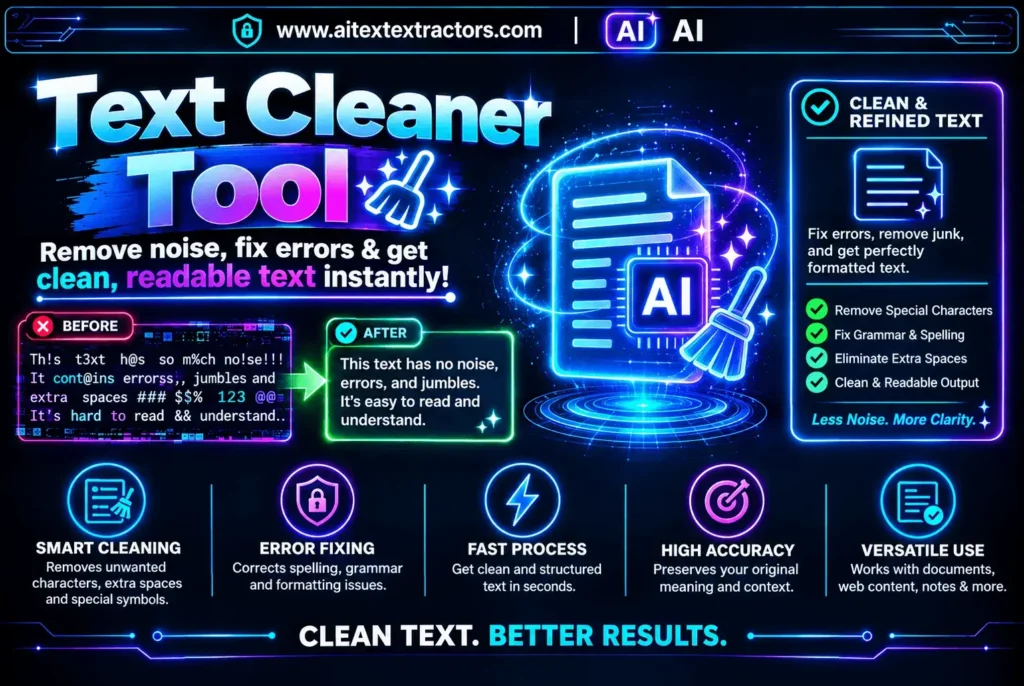
Features of Text Cleaner Tool
Not all tools available will have the same set of features. Selecting the appropriate one can be easier when knowing what attributes make a cleaning tool a true power cleaning solution.
- Removes white space and line breaks.
The simplest job of any clean utility is to delete unwanted whitespace, such as double spaces, spaces at the end of the line and excessive blank lines. This can make a whole document so much more readable.
- Special Character Removal
A solid system ought to recognize and eliminate special characters, emojis or unusual images that might have been inadvertently copied from another source.
- Case Conversion
If you want to use all caps all lower sentence case or title case, then a good cleaning utility will offer one click options to instantly reformatting your text.
- HTML Tags and Hidden Links Removal
For bloggers or developers it can be very useful to have an option that will remove HTML tags or Markdown syntax particularly if they are moving content from one blogging platform to another.
- Word Count
Some users find it helpful to have a real-time word and character counter as well particularly for writers who are subject to length requirements.
Who are the most benefactors of a text cleaner tool?
These utilities have no specific user groups. In fact, the use of it is spread out throughout a variety of industries and professions.
Students and Researchers: If students are creating research using several PDF documents and papers, they may end up with disorganized inconsistent text. They will use a text cleaner tool to prepare clean notes for their assignments in a timely fashion, rather than spending hours correcting texts by hand.
Content Writers and Bloggers: Writers are often copying content from other websites. By using a trusted cleaning tool pasted content was not add any unwanted formatting to their final draft, leaving the writing process smooth and professional.
Web Developers: Web Developers sometimes require plain text without any HTML or CSS styling. This removes a lot of time if someone is going to use such a tool because the code is stripped away before it hits production.
Often when working with reports, emails, or presentations, data needs to be copied from a spreadsheet or PDF. When sharing material with clients or executives a reliable cleaning utility guarantees that the last document looks polished and consistent, which is important.
Social Media Managers: Social Media websites have specific character limits and this sort of program can remove the extra spacing to make sure that captions and posts are placed correctly.
What Are the Benefit of Text cleaner Tool?
Time is one of the most important resources for any professional, and a text cleaner tool helps save time. A user can clean an entire document in seconds, rather than scrolling through paragraphs to find any extra spaces or formatting errors. The efficiency is more evident when working with long reports, research papers, or lots of content that needs to be carried out frequently.
In addition, human error is mini missed by using such a system. While sometimes inconsistencies may be missed during manual editing, particularly when dealing with lengthy documents, an automated cleaning process guarantees that it will be thorough and consistent each time. These little time savings that happen over weeks and months can translate to hours of productivity that were regained, particularly for teams that process a ton of written information every day.
How to Find Best Text Cleaner Tool?
Finding a reliable tool to clean up text can be frustrating. Most standard tools lack advanced formatting options, and many Other Cleaner are so packed with ads that they disrupt your workflow. The Best Text Cleaner feature from AI Text Extractor offers a far better solution. Designed with advanced text-cleaning options, it allows you to refine and organize your content seamlessly without the constant distraction of ads.
How to Use a Text Cleaner Tool Step-by-Step:
This type of utility is very easy to use for everyone, even novices. The following is a general step-by-step guide:
- Copy the text you want to clean – for example from a PDF, Word document or web page.
- Paste into the tool Open your cleaning tool and paste the copied text into the tool.
- Select cleaning options Select the cleaning actions you wish to perform (e.g. remove extra spaces, convert cases, remove HTML tags).
- Copy the cleaned text – After cleaning, copy and paste the cleaned output into the final document, email or website.
This is just one of the workflows that makes this an increasingly favored feature in everyday digital activities, no matter the skill level of the user.
Text Cleaner Tool vs Manual Editing
Some people still prefer manually editing their text instead of using automated solutions. While this approach can work for very short pieces of content it becomes increasingly impractical for longer documents. Manually searching for double spaces, hidden characters, or inconsistent formatting is time-consuming and prone to mistakes, especially when working under a deadline.
On the other hand, a text cleaner tool performs all of these tasks instantly and consistently, regardless of document length. For anyone who regularly works with large volumes of text, switching to a dependable cleaning utility is a smart decision that pays off in both time savings and accuracy over the long run.
Choosing the Right Text Cleaner Tool
With so many options available selecting the right one depends on your specific needs. Here are a few factors to consider:
Ease of use: Look for an option with a simple, intuitive interface that doesn’t require technical knowledge.
Feature set: Make sure the utility offers the specific cleaning functions you need, such as HTML removal or case conversion.
Speed: A good cleaning utility should process even large documents almost instantly, without noticeable lag.
Privacy: Since you may be pasting sensitive information, choose a platform that doesn’t store your data or that clearly states its privacy policy.
Accessibility: Browser-based options are often more convenient since they don’t require downloads or installations, letting you clean text from any device.
Common Mistakes People Make Without Cleaning Text
Many people underestimate how much messy formatting can affect their published content. Without a reliable text cleaner tool, writers might publish blog posts with inconsistent spacing, developers might accidentally push hidden HTML tags into a live website, and students might submit assignments filled with leftover formatting artifacts from a PDF source. These small oversights can affect readability, search engine rankings, and even professional credibility. Adopting a consistent cleaning habit, supported by the right utility, helps avoid these avoidable errors altogether.
Summary
In an age where content is constantly copied, pasted, and repurposed across different platforms, maintaining clean and professional-looking text has never been more important. A text cleaner tool offers a fast, reliable, and effortless solution to this everyday challenge. Whether you are a student organizing research notes, a blogger polishing an article, a developer stripping unwanted code, or a business professional preparing a report, this kind of utility can save you valuable time while ensuring your content looks consistent and error-free.
As digital content continues to grow in volume and complexity, solutions like a text cleaner tool will only become more essential. Investing a few minutes to learn how to use one properly can significantly improve both your productivity and the overall quality of your written work, no matter what industry you work in or how much content you handle each day.